Ranking · Home Tech

Top 10 Mesh Wi-Fi Systems — Top 10

A mesh system replaces a single router with several cooperating nodes, so coverage stops depending on where your modem happens to sit. The ten systems below span Wi-Fi 6E and Wi-Fi 7, from a $199 single gateway to a $1,999.99 quad-band flagship, and they differ as much in business model as in speed: some include security and parental controls free for life, while others rent them back to you by the month. We scored raw performance first, then what the subscription really costs you, the maker's update record, and the true per-node price.

First edition · October 2026 · 10 products ranked · Scores from verified research — how the ARI Score works

At a glance

#ProductRatingPrice Best for
1ASUS ZenWiFi BT10 (3-pack) 92$1,000Power users who want flagship Wi-Fi 7 and refuse to rent their router's features
2eero Pro 7 (3-pack) 91$580Most households that want the easiest premium mesh, with a smart-home hub built in
3TP-Link Deco BE65 (3-pack) 89$380Value hunters who want Wi-Fi 7 speed and multi-gig ports at half the flagship price
4NETGEAR Orbi 770 (3-pack) 87$700Large homes that want dedicated-backhaul speed without the Orbi 970's price
5eero Pro 6E (3-pack) 86$330Budget-minded upgraders who want 6 GHz Wi-Fi without Wi-Fi 7 prices
6Google Nest Wifi Pro (3-pack) 84$300Google Home households that refuse to pay a router subscription, ever
7TP-Link Deco XE75 Pro (3-pack) 83$230Bargain hunters covering a big home on a small budget
8Linksys Velop Pro 7 (3-pack) 80$700Linksys loyalists who want Wi-Fi 7 with no subscription and simple app control
9Ubiquiti UniFi Express 7 78$199Tinkerers and smaller homes that want a real UniFi gateway, not a dumbed-down router
10NETGEAR Orbi 970 (3-pack) 72$2,000Money-no-object estates that want the fastest mesh hardware NETGEAR makes
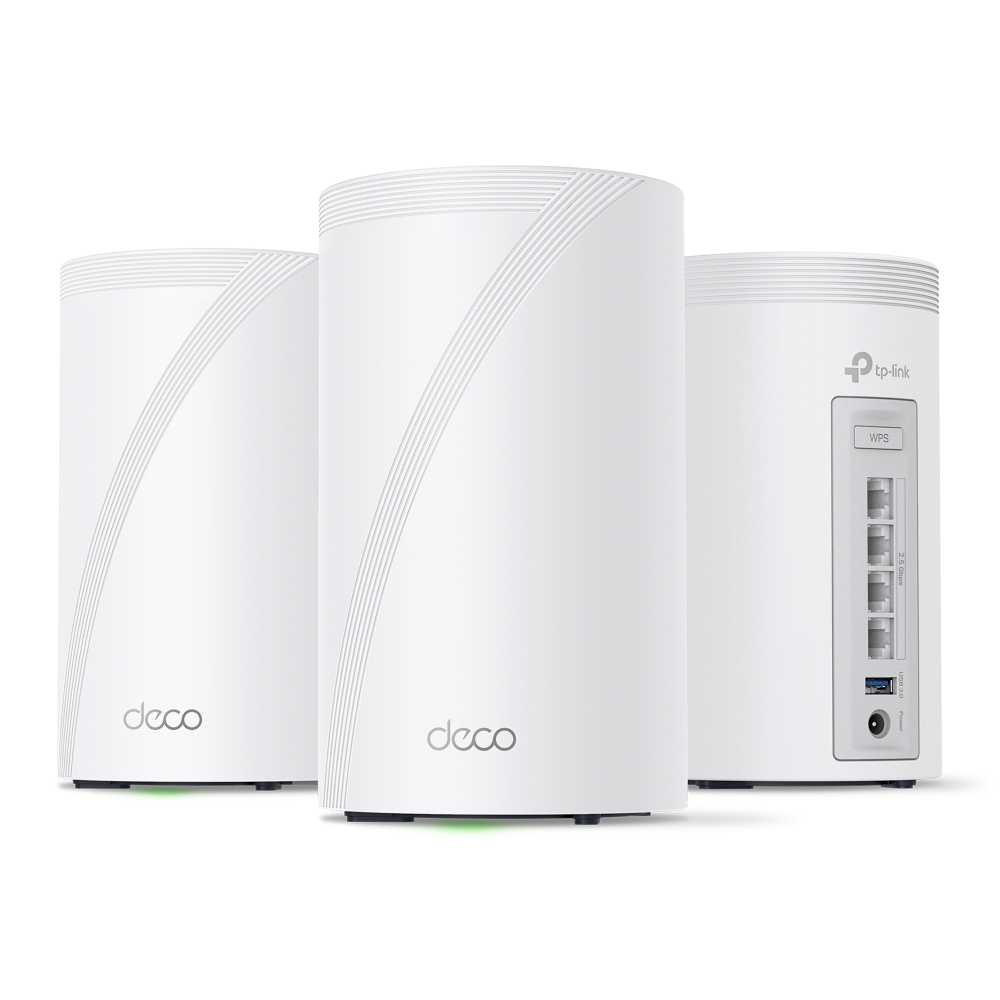
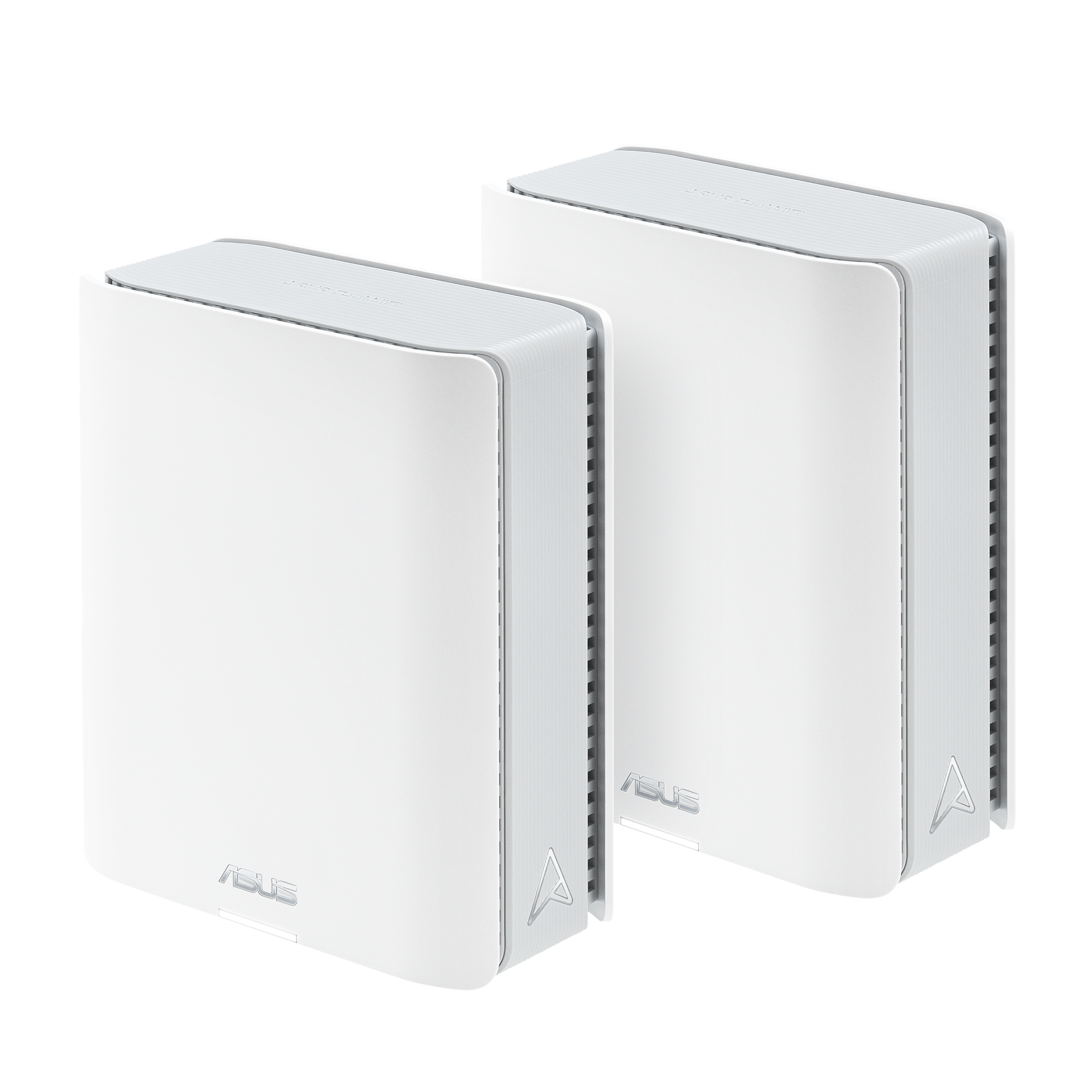
ASUS ZenWiFi BT10 (3-pack) product photo
#1

ASUS ZenWiFi BT10 (3-pack)

#1 in Category 2026 — American Ranking Institute award badge
ARI Score 92 $1,000

Best for: Power users who want flagship Wi-Fi 7 and refuse to rent their router's features

Wi-Fi 7 (802.11be) BE18000Up to 8,400 sq ft (3-pack)Dual 10G ports per unitAiProtection Pro free for lifeNo subscription required

Product review

The ZenWiFi BT10 is the fastest well-rounded system in this ranking: tri-band Wi-Fi 7 up to 18 Gbps, dual 10G Ethernet on every unit, and independent testing that puts its 6 GHz throughput at or near the top of the class. The subscription reality is the headline — there isn't one. AiProtection Pro network security (powered by Trend Micro) and the full parental-control suite are included free for the life of the product, where eero, NETGEAR and TP-Link charge $36–$100 a year for the equivalent. ASUSWRT 5.0 also offers the deepest manual controls here, including VPN servers, multiple SSIDs and a real web interface alongside the app.

Color Options
White
Pros
  • Class-leading 6 GHz throughput in independent lab tests
  • AiProtection Pro security and parental controls free for life — no subscription
  • Dual 10G ports on every unit, plus USB 3.0
  • Full web interface and deep manual controls, not app-only
  • AiMesh lets cheaper ASUS routers join as extra nodes
Cons
  • $999.99 street price is still flagship money
  • One of the two LAN ports on each unit is gigabit-only
  • App and interface expose enough settings to overwhelm beginners
  • Sold in white only

The company

ASUS was founded in 1989 and is headquartered in Taipei, Taiwan, with a large US operation based in Fremont, California and products on shelves at every major US retailer. Its router division has one of the better long-term firmware records in this group, supporting models for years through ASUSWRT, and its AiProtection is backed by Trend Micro. Accountability history is not spotless: in 2016 ASUS settled FTC charges that router security flaws put users at risk, agreeing to 20 years of independent security audits — a consent order that still runs today and, to its credit, coincides with a much stronger update record since.
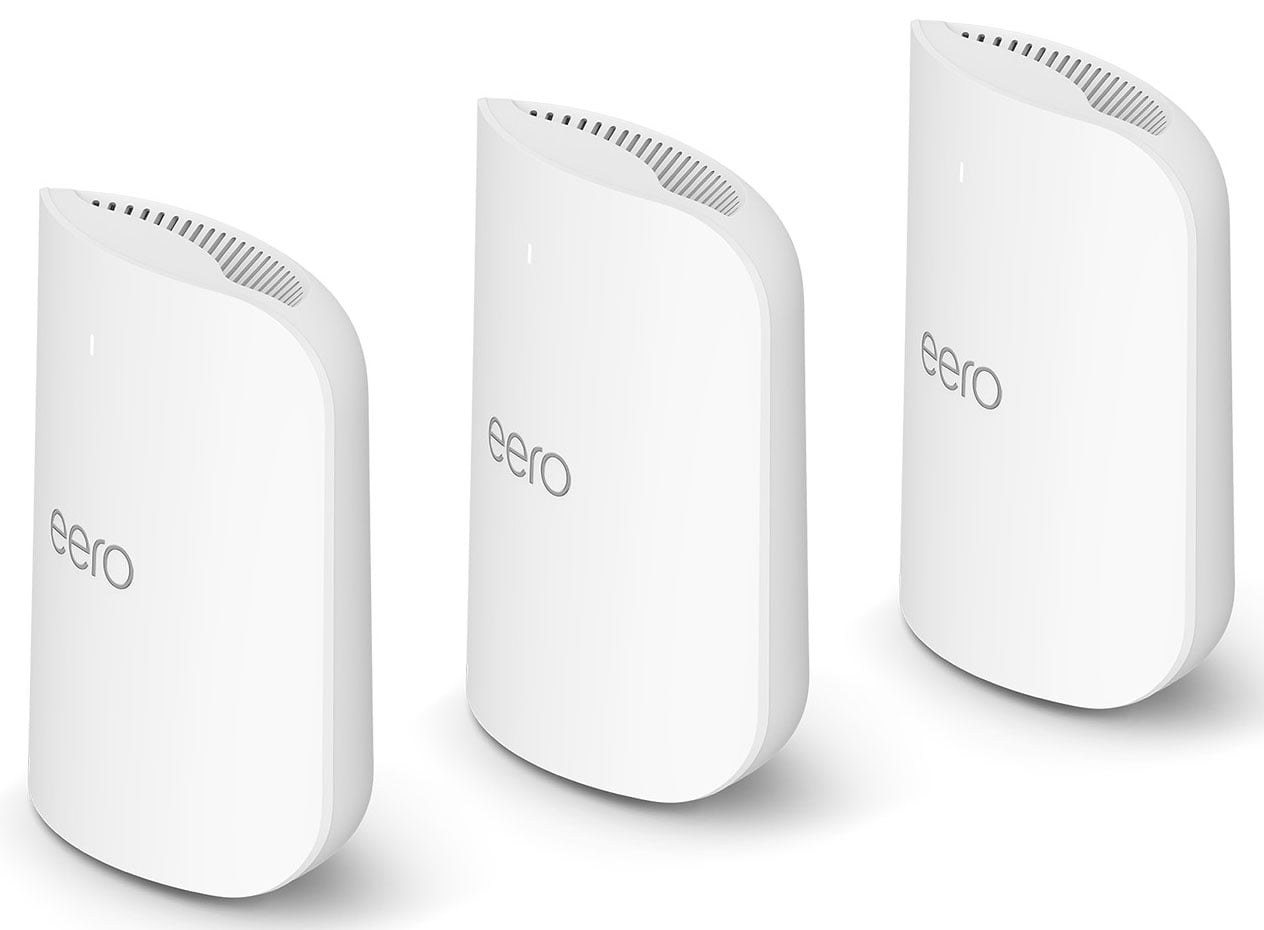
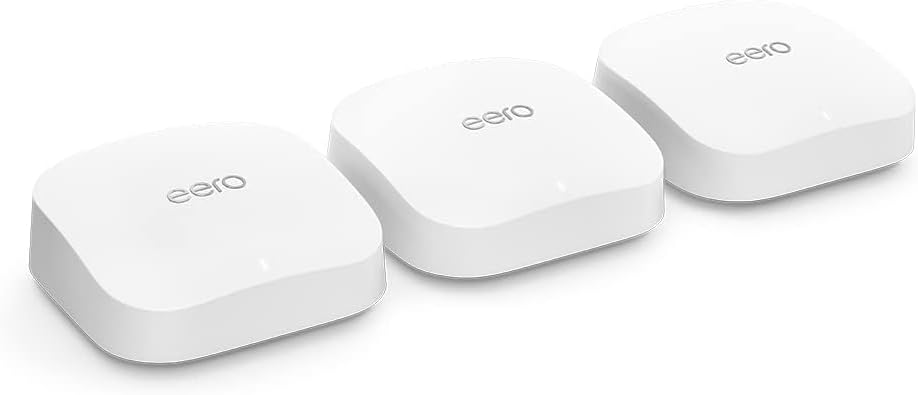
eero Pro 7 (3-pack) product photo
#2

eero Pro 7 (3-pack)

ARI Top Pick — American Ranking Institute award badge
ARI Score 91 $580

Best for: Most households that want the easiest premium mesh, with a smart-home hub built in

Wi-Fi 7 tri-bandUp to 6,000 sq ft (3-pack)Two 5GbE ports per unitThread, Zigbee and Matter hubeero Plus $99.99/yr for security

Product review

The Pro 7 is eero's Wi-Fi 7 flagship: tri-band radios, two auto-sensing 5GbE ports per unit, support for 600+ connected devices, and a built-in Thread, Zigbee and Matter hub that can replace a separate smart-home bridge. Setup and day-to-day management remain the simplest in this ranking, and firmware updates arrive automatically for years. The subscription reality needs stating plainly: the mesh, updates and guest network are free forever, but Advanced Security, ad blocking, full parental controls, activity insights and the bundled Guardian VPN sit behind eero Plus at $9.99/month or $99.99/year. Budget the subscription as part of the price, and the Pro 7 is still excellent value at its street price.

Color Options
White
Pros
  • Simplest setup and app in the category, with automatic updates
  • Built-in Thread, Zigbee and Matter smart-home hub
  • 600+ device capacity and a 3-year US warranty
  • Two 5GbE ports per unit handle multi-gig internet plans
  • Frequently discounted well below its $799.99 list price
Cons
  • Security and full parental controls require eero Plus at $99.99/yr
  • Only two Ethernet ports per unit
  • App-only management — no web interface
  • Amazon ownership means usage data sits inside Amazon's ecosystem

The company

eero was founded in 2014 in San Francisco and has been an Amazon subsidiary since 2019, alongside Amazon's Ring business. That ownership brings deep pockets, a strong multi-year firmware-update record and US-based support by phone and email, and it also means your router is part of Amazon's data ecosystem — eero states it does not sell personal information, but privacy purists should read the policy. Support is published and reachable (+1-877-659-2347, [email protected]), and the 3-year warranty is the longest standard coverage in this ranking.

TP-Link Deco BE65 (3-pack) product photo
#3

TP-Link Deco BE65 (3-pack)

ARI Score 89 $380

Best for: Value hunters who want Wi-Fi 7 speed and multi-gig ports at half the flagship price

Wi-Fi 7 BE11000 tri-bandUp to 7,600 sq ft (3-pack)Four 2.5G ports per unitMLO and 320 MHz channelsHomeShield paid tiers

Product review

No system here gives you more hardware per dollar: the Deco BE65 pairs full Wi-Fi 7 (BE11000, MLO, 320 MHz channels) with four 2.5G Ethernet ports on every unit — more multi-gig wired flexibility than systems costing three times as much — for under $400. The subscription reality: basic HomeShield (network scans, basic parental controls, QoS) is free, but the real security suite is a paid tier — Security+ runs $35.99/year, advanced parental controls are a separate $17.99/year, and the Total Security bundle renews at $129.99/year after a $69.99 first year. Even paying for Security+, the three-year cost stays far below any rival here.

Color Options
White
Pros
  • Full Wi-Fi 7 with four 2.5G ports per unit at a midrange price
  • MLO backhaul keeps node-to-node speeds high without wires
  • Under $130 per node — the best hardware value in this ranking
  • Deco app is polished and handles very large device counts
  • Mixes with other Deco models to expand coverage cheaply
Cons
  • Security and advanced parental controls are split into paid HomeShield tiers
  • App-only management with a TP-Link account required
  • US government scrutiny of TP-Link's China ties is unresolved (see Company)
  • No USB port or 10G option at any price in this model

The company

TP-Link was founded in 1996 in Shenzhen, China. Its US business operates as TP-Link Systems Inc., headquartered in Irvine, California, which the company says independently manages US products, data and support. That structure exists because of real scrutiny: US agencies have reportedly investigated TP-Link over national-security concerns tied to its China origins, and possible restrictions have been publicly debated since 2024; TP-Link denies improper ties and no ban is in force, and its routers remain the US market's best-sellers. Firmware updates for Deco models are frequent. We score the product on its merits and flag the open regulatory question rather than pretending it isn't one.

NETGEAR Orbi 770 (3-pack) product photo
#4

NETGEAR Orbi 770 (3-pack)

ARI Score 87 $700

Best for: Large homes that want dedicated-backhaul speed without the Orbi 970's price

Wi-Fi 7 BE11000 tri-bandUp to 8,000 sq ft (3-pack)Dedicated backhaul band2.5G ports throughoutArmor $99.99/yr after trial

Product review

The Orbi 770 (RBE773) is the sensible Orbi: the same design language and dedicated wireless backhaul as the flagship, at less than half the price. Its BE11000 tri-band system reserves part of the 6 GHz band for node-to-node traffic, so speeds at the far satellite hold up better than on shared-backhaul rivals, and every unit carries 2.5G Ethernet. The subscription reality: NETGEAR Armor, powered by Bitdefender, is a free trial, then $99.99/year (Armor Plus with unlimited VPN is $149.99/year). Basic firewall protection and automatic firmware updates stay free, but the advanced threat blocking the box advertises is rent, not a feature you own.

Color Options
White
Pros
  • Dedicated backhaul keeps satellite speeds consistently high
  • Strong whole-home throughput in independent testing
  • 2.5G Ethernet on router and both satellites
  • US company with a long retail and support footprint
  • Noticeably cheaper than the Orbi 970 with most of its real-world speed
Cons
  • Armor security costs $99.99/yr after the trial
  • Orbi app is functional but the least polished of the premium brands
  • Complimentary NETGEAR support lasts only 90 days
  • Large towers are harder to hide than Deco or eero nodes

The company

NETGEAR was founded in 1996 and is headquartered in San Jose, California — a US company with nationwide retail distribution and a long mesh track record since the original Orbi in 2016. Firmware updates are automatic and the 770 series continues to receive them. Accountability marks are lost on the business model rather than the engineering: Armor is an annual subscription for security features rivals like ASUS include free, and NETGEAR's complimentary technical support window is just 90 days, after which help becomes a paid plan. The published support line is 1-888-638-4327; NETGEAR does not publish a support email.

eero Pro 6E (3-pack) product photo
#5

eero Pro 6E (3-pack)

ARI Score 86 $330

Best for: Budget-minded upgraders who want 6 GHz Wi-Fi without Wi-Fi 7 prices

Wi-Fi 6E AXE5400 tri-bandUp to 6,000 sq ft (3-pack)2.5GbE + gigabit portsThread, Zigbee and Matter hubeero Plus $99.99/yr for security

Product review

The Pro 6E remains the sweet spot of eero's line: AXE5400 Wi-Fi 6E with a true 6 GHz band, a 2.5GbE port for multi-gig internet, and the same hub radios (Thread, Zigbee, Matter) as the Pro 7 — at roughly half the flagship's street price. Nothing about the experience feels cut down except raw radio speed. The subscription reality is identical to the Pro 7: the mesh, updates and guest Wi-Fi are free, while Advanced Security, ad blocking, full parental controls and content filtering require eero Plus at $99.99/year. If you skip the subscription, run the numbers against the subscription-free ASUS and Google systems before deciding.

Color Options
White
Pros
  • Real 6 GHz Wi-Fi 6E performance at a midrange price
  • Same effortless setup and automatic updates as the Pro 7
  • Built-in Thread, Zigbee and Matter smart-home hub
  • 2.5GbE port supports faster-than-gigabit internet plans
  • 3-year warranty and published US phone/email support
Cons
  • eero Plus subscription needed for security and full parental controls
  • Only two Ethernet ports, and just one is multi-gig
  • No Wi-Fi 7 features such as MLO or 320 MHz channels
  • App-only management with an eero account required

The company

eero, founded in 2014 in San Francisco and owned by Amazon since 2019, supports its older hardware unusually well — the Pro 6E still receives the same automatic firmware updates as the current flagship, and eero's published support (+1-877-659-2347, [email protected]) is US-based. The accountability trade-offs are the parent company and the paywall: network data sits within Amazon's ecosystem under eero's privacy policy, and features that were once simply part of a premium router — security filtering and full parental controls — are monetized through eero Plus. The hardware value at today's street price is strong enough to keep it in the top half anyway.

Google Nest Wifi Pro (3-pack) product photo
#6

Google Nest Wifi Pro (3-pack)

ARI Score 84 $300

Best for: Google Home households that refuse to pay a router subscription, ever

Wi-Fi 6E AXE5400 tri-bandUp to 6,600 sq ft (3-pack)No subscription — controls freeThread border routerGigabit Ethernet only

Product review

The Nest Wifi Pro is the principled choice in this ranking: Wi-Fi 6E in a small, shelf-friendly puck, managed in the Google Home app, with a subscription reality of exactly zero dollars. Family Wi-Fi parental controls, device prioritization, automatic updates and self-diagnosing network checks are all included free, forever — the model eero and NETGEAR charge $100 a year to imitate. The ceiling is hardware: both Ethernet ports are gigabit-only, so a faster-than-gigabit internet plan is wasted, and there is no dedicated backhaul band. For gigabit-or-slower homes that value simplicity and no rent, it remains easy to recommend, especially at its frequent $299.99 sale price.

Color Options
SnowFogLinenLemongrass
Pros
  • No subscription — parental controls and security updates are free
  • Clean Google Home app with genuinely useful self-diagnostics
  • Four finishes (Snow, Fog, Linen, Lemongrass) — the only real color choice here
  • Thread border router built in for Matter smart-home devices
  • Regularly discounted to $299.99 or below
Cons
  • Gigabit-only Ethernet caps internet plans above 1 Gbps
  • No dedicated backhaul; satellite speeds trail Orbi and Deco rivals
  • Not compatible with older Google Wifi or Nest Wifi points
  • Google publishes no support phone or email for Nest products

The company

Google (Alphabet Inc.) is headquartered in Mountain View, California, and the Nest Wifi Pro is sold and supported through the Google Store and every major US retailer. Software support has been consistent, with automatic updates delivered since the 2022 launch, and the absence of any subscription tier is a genuine accountability plus. The debits are structural: support runs through the Google Home app and help center — Google publishes no support phone number or email for Nest Wifi — and the Pro is not backward-compatible with Google's own earlier mesh points, so upgraders start over. Google's data practices are governed by its standard consumer privacy policy.

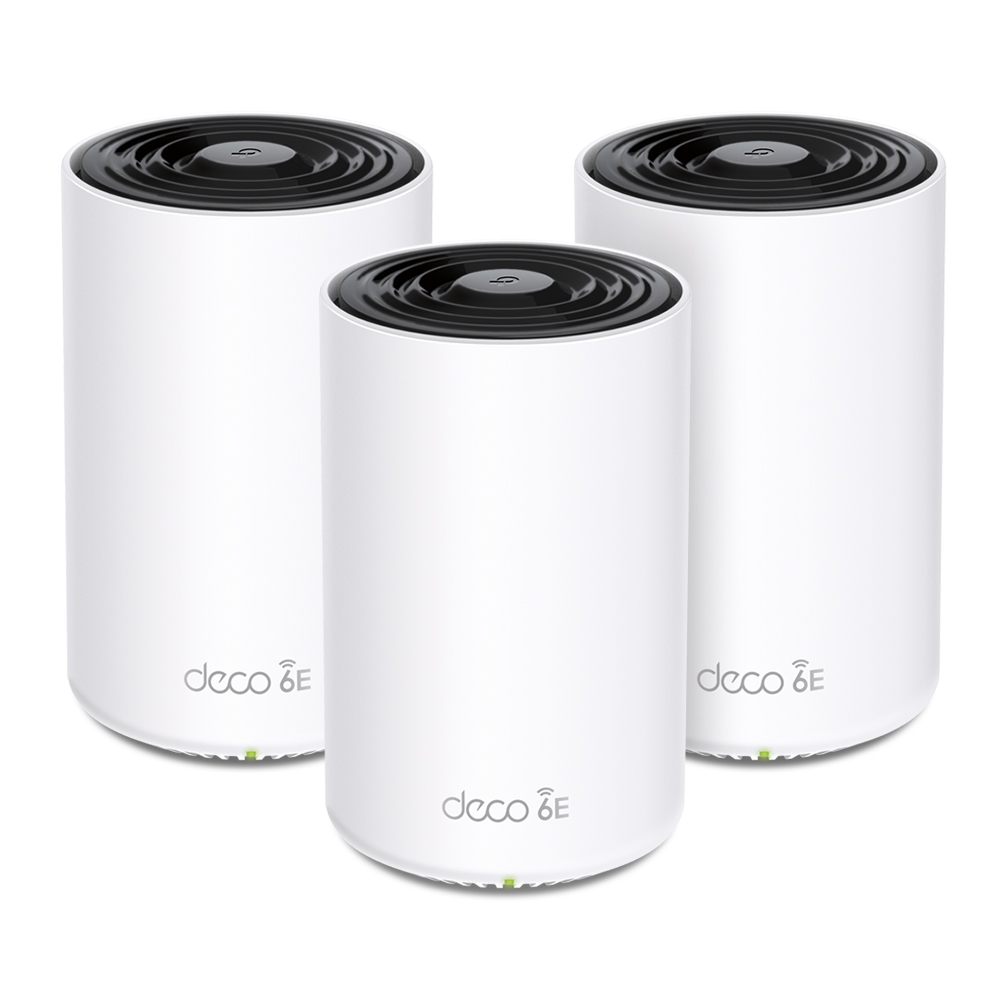
TP-Link Deco XE75 Pro (3-pack) product photo
#7

TP-Link Deco XE75 Pro (3-pack)

ARI Score 83 $230

Best for: Bargain hunters covering a big home on a small budget

Wi-Fi 6E AXE5400 tri-bandUp to 7,200 sq ft (3-pack)2.5G + dual gigabit per unitHomeShield free basic tierAI-driven mesh roaming

Product review

At $229.99 for three nodes, the XE75 Pro is the cheapest way in this ranking to get a true 6 GHz band, a 2.5G port on every unit, and honest whole-home coverage — under $77 a node. Performance is a step behind the Wi-Fi 7 Decos in peak throughput, but for streaming, calls and gaming on sub-gigabit plans the difference is hard to feel. The subscription reality mirrors the BE65: basic HomeShield scanning, QoS and starter parental controls are free, while Security+ ($35.99/year) and advanced parental controls ($17.99/year) are paid extras. Even fully subscribed, three-year ownership costs less than most rivals' hardware alone.

Color Options
White
Pros
  • Lowest price here for genuine Wi-Fi 6E — about $77 per node
  • 2.5G port on every unit, unusual at this price
  • Large claimed coverage and 200-device capacity
  • Same polished Deco app and mixing with other Deco models
  • Frequently discounted below its already low street price
Cons
  • HomeShield's better security and parental controls cost extra
  • Peak throughput trails the Wi-Fi 7 systems clearly
  • App-only management; TP-Link account required
  • Same unresolved US scrutiny of TP-Link's China ties as the BE65

The company

TP-Link Systems Inc., headquartered in Irvine, California, is the US arm of TP-Link (founded 1996, Shenzhen, China) and publishes US support by phone (1-866-225-8139) and email ([email protected]). Deco firmware updates arrive regularly and older models stay supported for years. As with the BE65, we flag the context plainly: US officials have reportedly investigated TP-Link over China-linked security concerns since 2024, the company says its US operation is independently managed, and no restriction is currently in force. The XE75 Pro's score reflects the hardware, the HomeShield paywall and that open question together.

Linksys Velop Pro 7 (3-pack) product photo
#8

Linksys Velop Pro 7 (3-pack)

ARI Score 80 $700

Best for: Linksys loyalists who want Wi-Fi 7 with no subscription and simple app control

Wi-Fi 7 BE11000 tri-bandUp to 9,000 sq ft (3-pack)Cognitive Mesh platformNo subscription — security included2.5GbE WAN + 4 gigabit LAN per node

Product review

The Velop Pro 7 was Linksys's first Wi-Fi 7 system, built on Qualcomm's Networking Pro 620 platform with its 'Cognitive Mesh' software that continuously re-optimizes node placement and channels. The subscription reality is refreshingly plain: there is none — Cognitive Security and parental controls are included, and setup takes about ten minutes in the Linksys app. What holds it back is performance per dollar: all three bands run 2x2 radios, and independent testing (including Tom's Guide's lab work) found throughput well behind similarly priced rivals from ASUS, NETGEAR and TP-Link. At its $999.99 launch price that was disqualifying; at today's street pricing it is a reasonable, rent-free option.

Color Options
White
Pros
  • No subscription — security and parental controls included free
  • Fast, genuinely simple app-based setup
  • Generous port count: 2.5GbE WAN plus four gigabit LAN per node
  • US company (Irvine, CA) with published phone support
  • Street price has fallen far below the $999.99 launch MSRP
Cons
  • Independent tests show throughput lagging similarly priced rivals
  • 2x2 radios on every band limit peak and backhaul speed
  • App-only management; no advanced web interface
  • Not compatible with older Intelligent Mesh Velop nodes

The company

Linksys was founded in 1988 and is headquartered in Irvine, California; since 2018 it has been owned by Belkin International, itself a subsidiary of Foxconn Interconnect Technology. US support is published (1-800-326-7114) and firmware updates are delivered automatically through the app. The accountability picture is middling: the no-subscription model is honest and increasingly rare, but Linksys's software cadence and app polish have trailed eero and ASUS in recent years, and the Velop Pro 7's mid-pack lab performance at a flagship launch price is why it lands in the lower half despite the friendly business model.

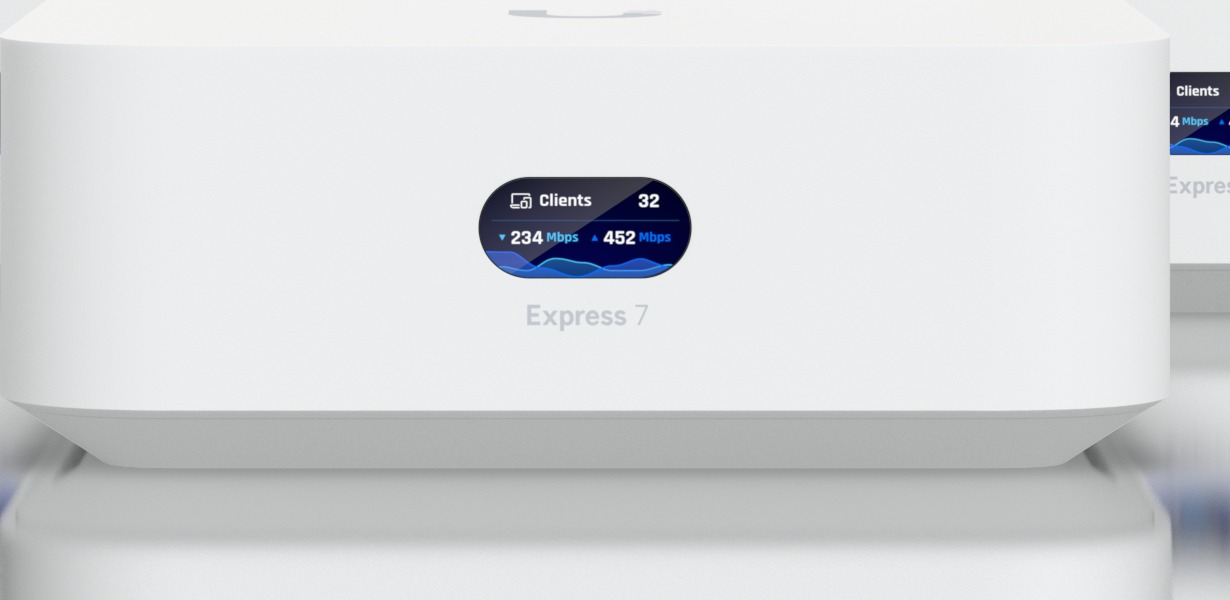
Ubiquiti UniFi Express 7 product photo
#9

Ubiquiti UniFi Express 7

ARI Score 78 $199

Best for: Tinkerers and smaller homes that want a real UniFi gateway, not a dumbed-down router

Wi-Fi 7 tri-band, 10.7 Gbps classUp to 1,500 sq ft (single unit)10G WAN + 2.5G LANRuns full UniFi OSNo subscriptions, ever

Product review

The UniFi Express 7 (UX7) breaks this ranking's mold: a single $199 unit that is a full UniFi gateway — 10G WAN, a color status display, and the complete UniFi Network controller with content filtering, ad blocking, Teleport VPN and deep traffic analytics, all free with no subscription tier at all. It covers about 1,500 sq ft alone and can mesh with other UniFi access points or serve as one itself. The catch is audience: UniFi's power assumes a user happy to configure it, support is ticket-and-community only, and a single unit is not a whole-home answer for larger houses. As a gateway-first pick for smaller homes and homelabs, it is unmatched at the price.

Color Options
White
Pros
  • Full UniFi OS gateway with 10G WAN for $199
  • No subscriptions — filtering, VPN and analytics all included
  • Status display and the deepest controls in this ranking
  • Can adopt 30+ UniFi devices and act as a mesh access point
  • Frequent UniFi OS and firmware updates
Cons
  • Single unit covers ~1,500 sq ft — not a whole-home 3-pack rival
  • No phone support; help is tickets and community forums
  • Setup assumes networking knowledge casual users may not have
  • UI Store stock sells out intermittently

The company

Ubiquiti Inc. was founded in 2005 by Robert Pera and is headquartered in New York City. Its UniFi line is the default prosumer networking platform, with a fast, public firmware cadence and US retail availability through its own store and distributors. Accountability is a mixed file: there are no subscriptions and no feature rent, and support email ([email protected]) is published — but there is no phone support at any price, and Ubiquiti's handling of a 2021 incident, in which it disclosed unauthorized access via a third-party cloud provider and later reporting disputed the scope, still shapes its reputation. Power users accept the trade; casual buyers should know it exists.

NETGEAR Orbi 970 (3-pack) product photo
#10

NETGEAR Orbi 970 (3-pack)

ARI Score 72 $2,000

Best for: Money-no-object estates that want the fastest mesh hardware NETGEAR makes

Wi-Fi 7 BE27000 quad-bandUp to 10,000 sq ft (3-pack)10G WAN and 10G LAN portsEnhanced dedicated backhaulArmor $99.99/yr after trial

Product review

On hardware alone, the Orbi 970 (RBE973S) is the most powerful system here: quad-band BE27000 Wi-Fi 7 with an enhanced dedicated backhaul, 10G WAN and LAN, and coverage claims up to 10,000 sq ft. Nothing else moves data between nodes as fast without wires. The ranking, however, scores the whole purchase: $1,999.99 buys the hardware, and then NETGEAR still rents you Armor security at $99.99/year after the trial, complimentary support still ends at 90 days, and owner feedback on firmware stability has been more mixed than a $2,000 product should earn. It is the fastest system in the test and the worst value — both things are true, and the score reflects it.

Color Options
WhiteBlack
Pros
  • Fastest mesh hardware in this ranking, wired or wireless
  • Quad-band design with a genuinely enhanced dedicated backhaul
  • 10G WAN and 10G LAN for multi-gig fiber and NAS setups
  • Huge claimed coverage for very large homes
  • Available in black as well as white — rare in this category
Cons
  • $1,999.99 — double the runner-up's price — plus $99.99/yr Armor
  • Worst value score in the ranking by a wide margin
  • Complimentary support still limited to 90 days
  • Mixed owner reports on firmware stability for a flagship product

The company

NETGEAR (founded 1996, headquartered in San Jose, California) builds the 970 in the open and sells it through every major US retailer, with published phone support at 1-888-638-4327 and automatic firmware updates. The engineering is flagship-grade and the US presence is unquestionable. The accountability deductions are the ones detailed across this page: at a $1,999.99 price the company still paywalls its Armor security suite after a trial, still limits free support to 90 days, and the model's early firmware drew enough owner complaints to dent its satisfaction score. None of that stops it being the performance king — it just isn't the ranking's best buy.

The verdict

The ASUS ZenWiFi BT10 takes the top spot: flagship Wi-Fi 7 hardware — BE18000 radios, dual 10G ports — with the category's fairest deal, since AiProtection Pro security and full parental controls are free for the product's life. The eero Pro 7 is the easiest system here to live with and a strong buy at its $580 street price, though eero Plus rent taxes that simplicity. Budget buyers should look hard at the Deco BE65 and XE75 Pro; subscription refuseniks should shortlist ASUS, Google, Linksys or UniFi. The Orbi 970 is the fastest hardware in the test and still finishes last — at $1,999.99 plus Armor rent, its value math never recovers.

Questions, answered

How many mesh nodes do I actually need?

As a rule of thumb, one node covers roughly 1,500–2,000 real-world square feet once walls and floors take their cut — noticeably less than the box claim. A 3-pack suits most homes from 2,500 to 5,000 sq ft; apartments and small homes are often fine with one or two nodes. Every system ranked here except the UniFi Express 7 is sold as a 3-pack, and all ten let you add nodes later. Placing nodes one room apart, out in the open, matters more than adding extra units.

Is Wi-Fi 7 worth paying for over Wi-Fi 6E?

Wi-Fi 7 adds 320 MHz channels on 6 GHz, Multi-Link Operation and 4K-QAM, which together cut latency and raise real throughput — but only Wi-Fi 7 phones, laptops and consoles can use them. If your devices are mostly Wi-Fi 6 or older, a discounted 6E system like the Deco XE75 Pro or eero Pro 6E delivers nearly the same day-to-day experience for far less. Wi-Fi 7 is the right buy if you keep a router five years or more, or already own Wi-Fi 7 devices.

Do I have to pay a subscription for my mesh system to work?

No system here stops routing without a subscription — the mesh, automatic firmware updates and guest networks stay free everywhere. What the paid tiers lock away differs: eero Plus ($99.99/yr) gates advanced security, ad blocking and full parental controls; NETGEAR Armor ($99.99/yr) gates advanced threat protection; TP-Link HomeShield charges separately for security ($35.99/yr) and advanced parental controls ($17.99/yr). ASUS, Google, Linksys and Ubiquiti include their security and parental controls free, which is why subscription policy is a scored factor in this ranking.

What is wired backhaul, and should I use it?

Backhaul is the traffic between nodes. Wireless backhaul shares radio time with your devices; wiring nodes together with Ethernet frees the full wireless capacity for clients and is the single biggest real-world upgrade for any mesh. Every system here supports Ethernet backhaul. If your home has coax but no Ethernet, MoCA adapters achieve the same result. Dedicated-backhaul designs like the Orbi 770 and 970 reserve a radio for node-to-node traffic, which narrows the gap when wiring is impossible.

Will a new mesh system work with my internet provider?

Yes. Every system ranked here connects to any cable, fiber or DSL modem and works with all major US providers, including Xfinity, Spectrum, AT&T Fiber and Verizon Fios. If your provider's gateway is a modem-router combo, put it in bridge mode or set the mesh to access-point mode to avoid double NAT. None of these systems replaces a modem on its own, and none requires a provider account, rental fee or ISP app to set up.

Prices are typical US street prices observed during research and change often — check the retailer for the current price. ARI may earn a commission from links on this page; commissions never change a score. See the affiliate disclosure and methodology.