Ranking · Home Office

Best Docking Stations — Top 10

One cable is the whole promise: drop your laptop on the desk, plug in a single Thunderbolt or USB-C lead, and your monitors, keyboard, drives, wired network and charger all come alive at once. A good dock makes a laptop feel like a desktop. A bad one makes you an unpaid beta tester for someone else's firmware — and in this category, the difference rarely shows on the box.

The fine print decides which one you get. Display support is the big trap: macOS does not support MST multi-monitor over one cable, so a base M-chip MacBook (M1, M2, and M3 with the lid open) drives exactly one external screen through any ordinary Thunderbolt dock, whatever the marketing says — only Pro/Max chips, newer base chips, or a driver-based DisplayLink/Silicon Motion dock change that math. The second trap is power: headline wattage can sag when the dock's other ports are loaded, and a 100W dock will not keep a 135W mobile workstation fed under load.

10 products ranked · Selected from 18 products screened — · Scores from verified research — how the AmRank Score works

Every product screened for this ranking

18 products were scored under the same AmRank rubric. The Top 10 are ranked above; the rest are listed here with the AmRank Score each one earned.

ProductCompanyPrice AmRank Score
CalDigit TS4 Thunderbolt Station 4 ★ #1CalDigit$38092
Plugable TBT4-UDZ Thunderbolt 4 Dock ★ #2Plugable$29090
Dell Pro Thunderbolt 4 Smart Dock SD25TB4 ★ #3Dell$23987
OWC Thunderbolt Go Dock ★ #4OWC$22086
Lenovo ThinkPad Universal Thunderbolt 4 Dock (40B00135US) ★ #5Lenovo$28084
OWC Thunderbolt Dock ★ #6OWC$23083
Anker 778 Thunderbolt Docking Station (12-in-1) ★ #7Anker$38082
Belkin Connect Pro Thunderbolt 4 Dock (INC006) ★ #8Belkin$30081
Plugable UD-768PDZ USB-C Triple Display Dock ★ #9Plugable$15080
Razer Thunderbolt 4 Dock Chroma ★ #10Razer$33078
CalDigit TS5 Plus
Thunderbolt 5 flagship (140W, 10GbE) — excellent hardware, but TB5-class pricing and scope sit outside this Thunderbolt 4 ranking; first candidate for a future TB5 edition.
CalDigit$50085
Plugable TBT4-UD5
A good budget TB4 dock (2x HDMI, SD/microSD, 100W) squeezed out by its own siblings — the UDZ above it and the UD-768PDZ below it.
Plugable$20079
Dell WD22TB4
The SD25TB4's predecessor: 130W Dell / 90W others and a 3-year Advanced Exchange warranty, but gigabit-only Ethernet and a superseded design.
Dell$21078
Kensington SD5780T
Strong spec on paper (96W, 2.5GbE, UHS-II SD, 3-year warranty) — cut because Kensington's own product page says it is no longer available, superseded by a replacement SKU.
Kensington$30076
CalDigit TS3 Plus
Still a capable Thunderbolt 3 dock (87W, UHS-II SD, dual 4K), but TB3-era silicon and gigabit thinking at $300 lose to the TBT4-UDZ on value.
CalDigit$30074
Plugable UD-6950PDZ
DisplayLink triple-display dock; Plugable's own site now marks it discontinued, and the Silicon Motion UD-768PDZ covers the same need for less.
Plugable$21073
HyperDrive Thunderbolt 4 Dock (HDTB4D)
96W and 2.5GbE on paper, but zero USB-C data ports, warranty listed inconsistently (1 year US/CA vs 2 years UK), and no confirmable US price found — US price left blank rather than guessed.
Targus HyperDrive—72
Anker Prime 14-in-1 Docking Station (USB-C)
Not a Thunderbolt dock at all: plain USB-C bandwidth, and on macOS its dual displays mirror. A fine hub, the wrong tool for this ranking.
Anker$27070

Pool prices are the prices recorded during research. Only the ranked products receive full verified reviews.

At a glance

#ProductRatingPrice Best for
1CalDigit TS4 Thunderbolt Station 4 92$380The no-compromise desk: every port, at full speed
2Plugable TBT4-UDZ Thunderbolt 4 Dock 90$290The most displays, honestly labeled — Windows or Mac
3Dell Pro Thunderbolt 4 Smart Dock SD25TB4 87$239Dell business laptops and IT-managed desks
4OWC Thunderbolt Go Dock 86$220Hybrid workers who dock at two desks — or travel with one dock
5Lenovo ThinkPad Universal Thunderbolt 4 Dock (40B00135US) 84$280ThinkPad fleets standardizing on one dock
6OWC Thunderbolt Dock 83$230Daisy-chaining Thunderbolt drives and displays
7Anker 778 Thunderbolt Docking Station (12-in-1) 82$380Windows users who also charge phones and tablets at the desk
8Belkin Connect Pro Thunderbolt 4 Dock (INC006) 81$300A tidy dual-monitor desk from a mainstream brand
9Plugable UD-768PDZ USB-C Triple Display Dock 80$150Three screens on a base-model MacBook — or any laptop — for $150
10Razer Thunderbolt 4 Dock Chroma 78$330Gaming desks that want the dock to match the setup
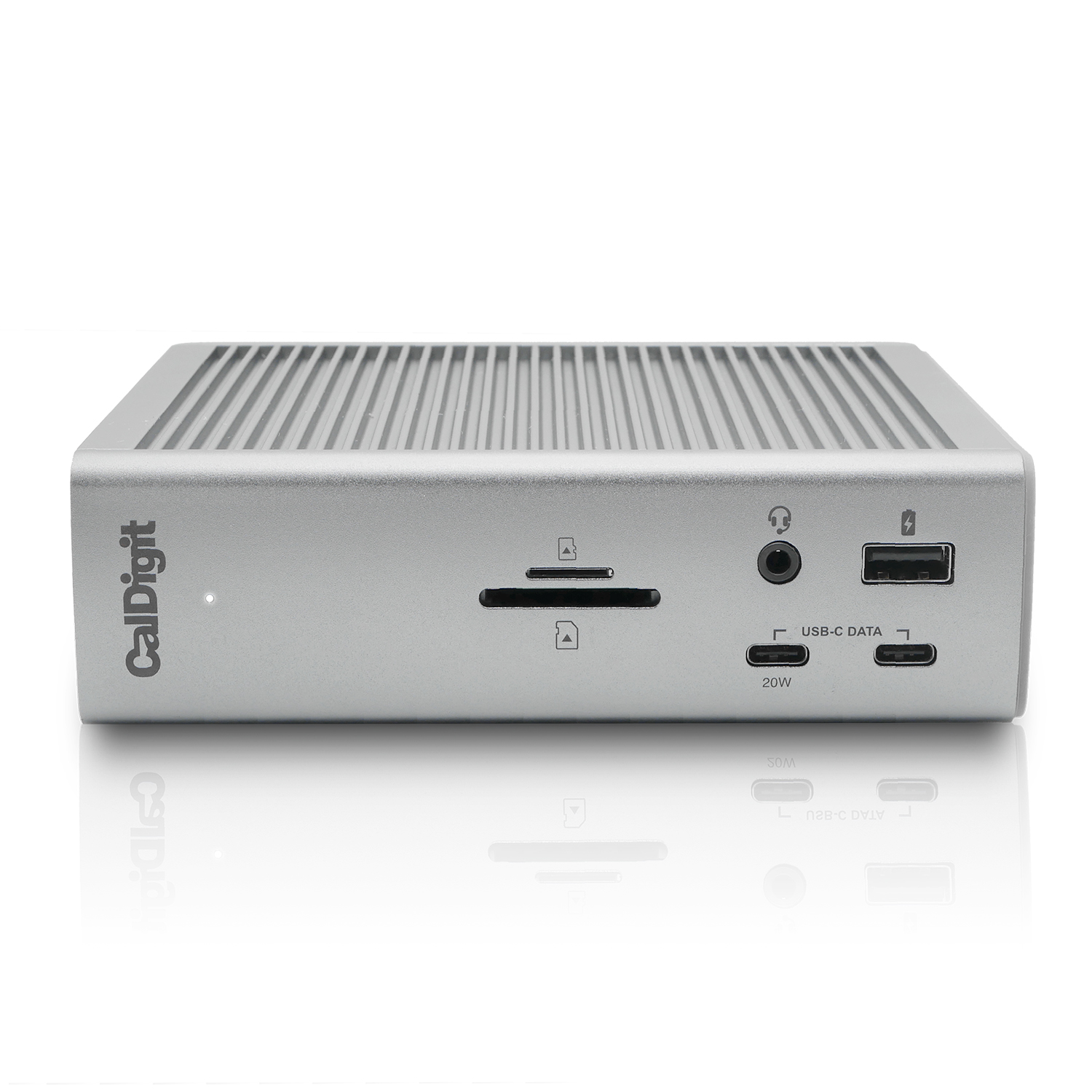
CalDigit TS4 Thunderbolt Station 4 product photo
#1#1 in Category · 2026 \u2014 American Ranking Institute award badge

CalDigit TS4 Thunderbolt Station 4

AmRank Score 92 $380

Best for: The no-compromise desk: every port, at full speed

98W host charging (230W power supply)Single 8K (Windows) or dual 6K60 on Pro/Max Macs; base M1/M2 Macs = 1 display18 ports: DisplayPort 1.4, SD + microSD UHS-II, 2x downstream TB4, 8x USB all at 10Gbps; 0.8m TB4 cable included2.5 Gigabit Ethernet2-year warranty

Product review

The TS4 is the dock the rest of this list is measured against: 18 ports, a 230W power supply, and 98W of host charging that does not wilt when every port is busy. It is also one of the few docks whose maker publishes exactly what a base-model Mac can and cannot do with it.

Color Options
Space Gray

The company

CalDigit is a California-based maker of Thunderbolt docks and storage that sells direct and publishes a US support phone number and email on its own site.

Pros
  • All eight USB ports run at 10Gbps — no slow ports hiding on the back panel
  • 98W host charging is backed by a 230W supply, and the front USB-C port adds 20W for a phone or tablet
  • Two downstream Thunderbolt 4 ports daisy-chain fast drives and USB-C displays
Cons
  • The most expensive dock here, and up from its $359.95 launch price
  • Early firmware lost Ethernet and storage when a Mac slept; CalDigit acknowledged it and shipped fixes that initially could only be installed from Windows
  • Only one built-in video port (DisplayPort) — HDMI monitors need adapters

CalDigit TS4 Thunderbolt Station 4
Plugable TBT4-UDZ Thunderbolt 4 Dock product photo
#2AmRank Top Pick \u2014 American Ranking Institute award badge

Plugable TBT4-UDZ Thunderbolt 4 Dock

AmRank Score 90 $290

Best for: The most displays, honestly labeled — Windows or Mac

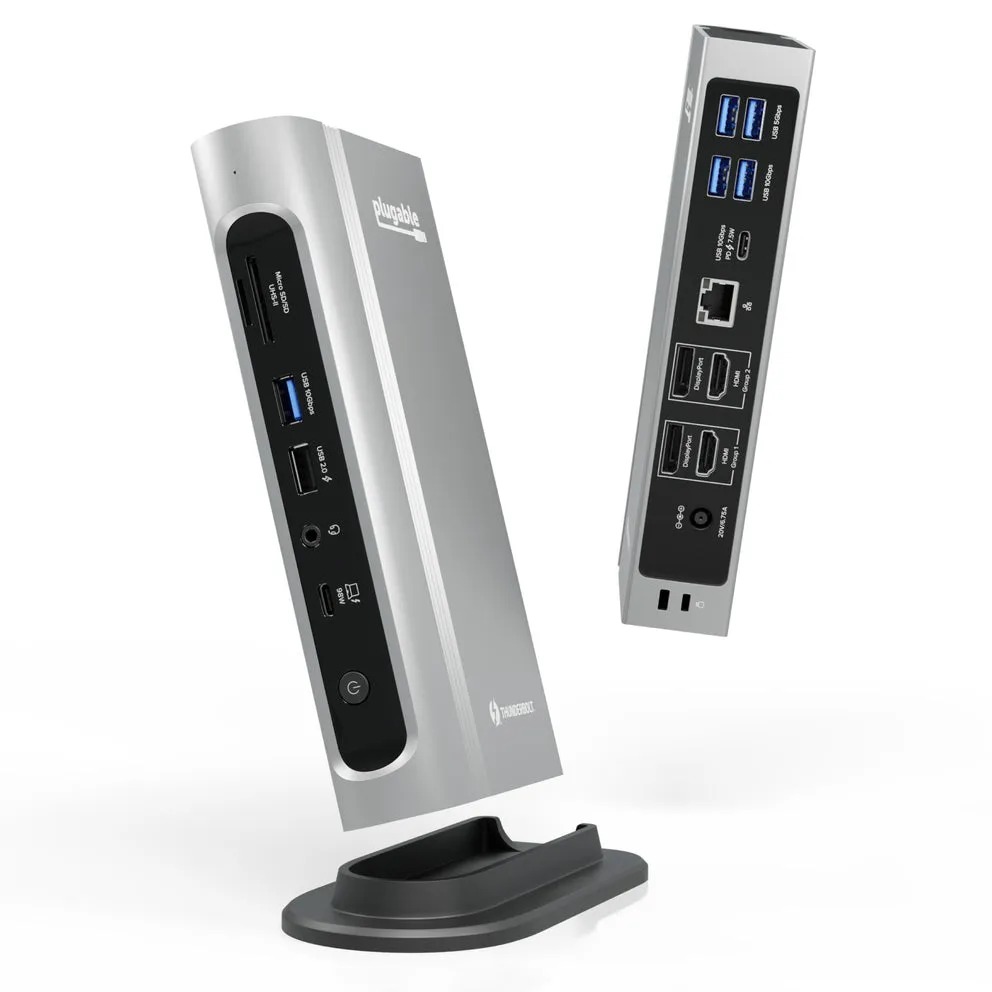
100W host charging (98W certified)Up to 4x 4K60 on Windows; 2x on Pro/Max and M4/M5 Macs; base M1/M2 Macs = 1 display16 ports: 2x HDMI 2.0 + 2x DisplayPort, SD + microSD UHS-II, 7 USB ports; 1m TB4 cable included2.5 Gigabit Ethernet2-year warranty, lifetime support

Product review

The TBT4-UDZ is built around four real display connectors — two HDMI and two DisplayPort — so Windows users get four 4K screens and Mac users get the two their chip allows, with no dongle math. Plugable's spec page is the honesty benchmark for this entire category.

Color Options
Black

The company

Plugable is a US-based dock and hub specialist known for exhaustive published compatibility charts and North American-based support.

Pros
  • Four dedicated display outputs — a quad-monitor Windows desk needs no adapters
  • Plugable publishes the clearest Mac display matrix in the business, base-chip limits included
  • 100W charging, 2.5GbE and both card slots at a mid-pack price
Cons
  • No downstream Thunderbolt ports — USB-C and Thunderbolt monitors are not supported
  • One of the USB-A ports is USB 2.0 speed, fit mainly for charging
  • DisplayPort-to-HDMI conversion needs active adapters; passive DP++ cables won't work

Plugable TBT4-UDZ Thunderbolt 4 Dock

Dell Pro Thunderbolt 4 Smart Dock SD25TB4 product photo
#3

Dell Pro Thunderbolt 4 Smart Dock SD25TB4

AmRank Score 87 $239

Best for: Dell business laptops and IT-managed desks

130W for Dell systems, 96W for all other brandsUp to 4x 4K60 on Windows; Mac display counts follow the host chip2x DisplayPort 1.4, HDMI 2.1, USB-C multi-function DP, 2x TB4, 4x USB-A; no SD card slot2.5 Gigabit Ethernet3-year warranty with Advanced Exchange

Product review

Dell's SD25TB4 is the corporate pick: 130W for Dell laptops, four-display support on Windows, 2.5GbE, and remote management that lets IT update a fleet of docks without touching a single desk. It succeeds the WD22TB4 as Dell's mainstream Thunderbolt 4 dock.

Color Options
Black

The company

Dell is one of the largest PC makers in the US; its Pro docks are sold through Dell direct and major retailers, backed by enterprise support.

Pros
  • The strongest warranty here: three years with Advanced Exchange replacement
  • 130W feeds Dell workstations that slowly starve on 100W docks
  • Remote, PC-free firmware updates and fleet management through Dell's Device Management Console
Cons
  • No SD or microSD slot — photographers need a separate reader
  • The 130W headline is Dell-only; every other brand gets 96W
  • Retail pricing is chaotic (sightings from $229.99 to $319.99) — check Dell direct before buying

Dell Pro Thunderbolt 4 Smart Dock SD25TB4

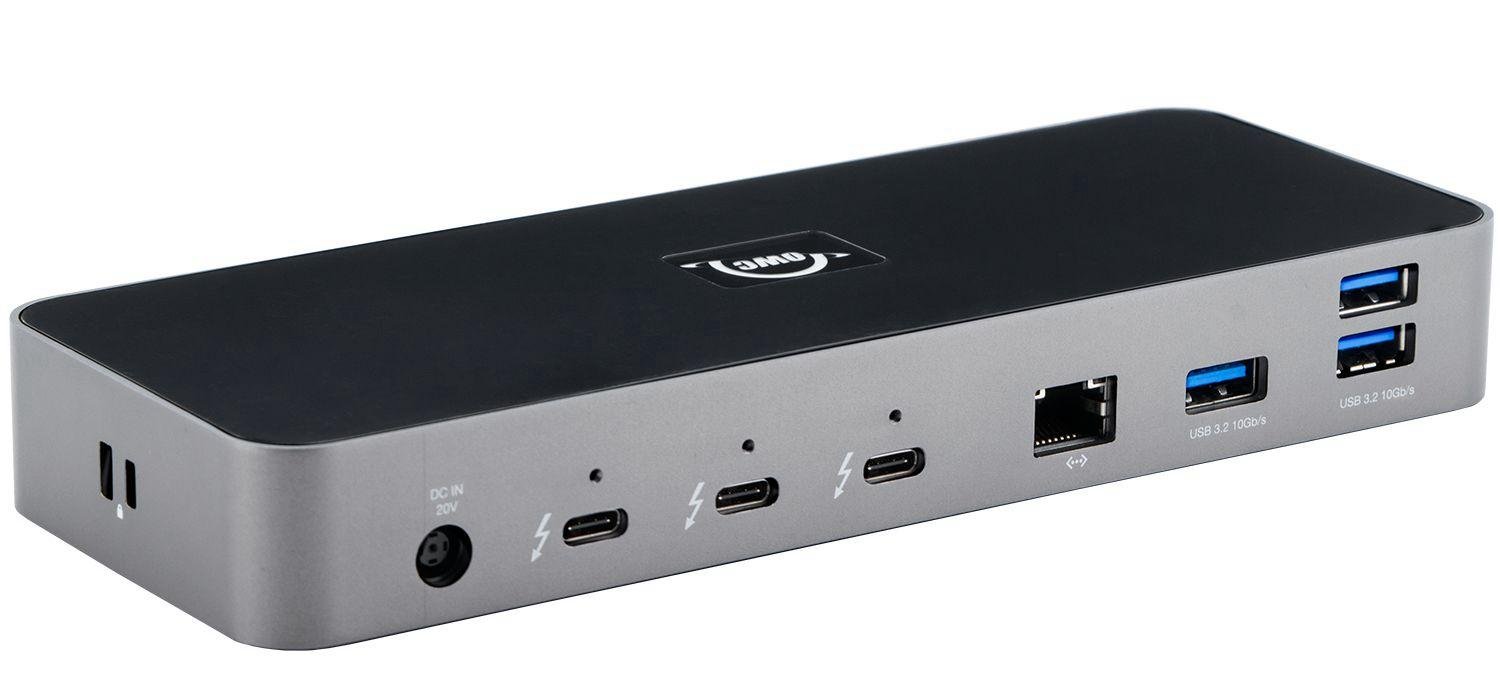
OWC Thunderbolt Go Dock product photo
#4

OWC Thunderbolt Go Dock

AmRank Score 86 $220

Best for: Hybrid workers who dock at two desks — or travel with one dock

90W host charging, built-in power supply (no brick to carry)Single 8K60 or dual 4K60; base M1/M2 Macs = 1 display11 ports: HDMI 2.1, SD UHS-II reader, 2x downstream TB4, USB-C and USB-A at 10Gbps2.5 Gigabit Ethernet2-year OWC warranty

Product review

The Go Dock deletes the power brick: its supply lives inside the aluminum case, so the same dock works at your desk, a client site, or a hotel room with nothing but a standard power cord. It keeps the important desk specs too — 90W charging, 2.5GbE and UHS-II SD.

Color Options
Space Gray

The company

OWC (Other World Computing) is a long-running US maker of Mac and PC upgrades and Thunderbolt gear, sold through its own MacSales store.

Pros
  • The power supply is built into the case — the travel kit is the dock and a plain power cord
  • 2.5GbE and a UHS-II SD reader at a street price well under the TS4
  • Fanless aluminum shell doubles as a heatsink, and the dock is MDM-manageable for work fleets
Cons
  • Only one HDMI port — a second display must hang off a Thunderbolt port
  • Fewer USB ports than desk-bound rivals (three USB-A, one USB-C data port)
  • Portable for a full dock, but at roughly 2 lb it is not a laptop-bag side-pocket item

OWC Thunderbolt Go Dock

Lenovo ThinkPad Universal Thunderbolt 4 Dock (40B00135US) product photo
#5

Lenovo ThinkPad Universal Thunderbolt 4 Dock (40B00135US)

AmRank Score 84 $280

Best for: ThinkPad fleets standardizing on one dock

100W dynamic host charging (135W adapter)Up to 4x 4K60 on Windows; DP/HDMI outputs mirror on macOS — a second Mac display works only via the TB4 port2x DisplayPort 1.4, HDMI 2.1, 1x TB4 downstream, 4x USB-A + 1x USB-C at 10Gbps; 0.7m TB4 cable included; no SD slotGigabit Ethernet3-year warranty (CRU)

Product review

Lenovo's Universal TB4 dock is the ThinkPad fleet standard: 100W, four fast USB-A ports, three-year coverage and firmware that updates silently. Just know it is a Windows-first dock — Mac users get mirrored displays on its video ports and no official macOS support at all.

Color Options
Black

The company

Lenovo is the world's largest PC maker; its ThinkPad docks are enterprise staples sold with three-year CRU (customer-replaceable unit) warranty terms.

Pros
  • Three-year warranty and silent, fleet-wide firmware upgrades
  • Four 10Gbps USB-A ports — the best legacy-peripheral count in this list
  • vPro/AMT support, PXE boot and MAC address pass-through for IT departments
Cons
  • Lenovo's own datasheet lists Windows only; on a Mac the DP/HDMI outputs mirror instead of extend
  • Owner reports on Lenovo's own review pages include second monitors not waking after sleep and an HDMI fix that requires a buried DSC utility
  • Gigabit Ethernet and no card reader at a near-$300 price

Lenovo ThinkPad Universal Thunderbolt 4 Dock (40B00135US)

OWC Thunderbolt Dock product photo
#6

OWC Thunderbolt Dock

AmRank Score 83 $230

Best for: Daisy-chaining Thunderbolt drives and displays

90W host chargingSingle 8K or dual 4K60 via the Thunderbolt ports; base M1/M2 Macs = 1 display11 ports: four Thunderbolt 4 ports total for daisy-chaining, SD reader, audio jack; TB4 cable includedGigabit Ethernet2-year OWC warranty

Product review

OWC's original Thunderbolt Dock trades built-in video ports for more Thunderbolt: four TB4 ports total mean drives, interfaces and USB-C displays daisy-chain off a single dock. It is an especially friendly center for Thunderbolt-heavy Mac desks.

Color Options
Space Gray

The company

OWC (Other World Computing) is a long-running US maker of Mac and PC upgrades and Thunderbolt gear, sold through its own MacSales store.

Pros
  • Three downstream Thunderbolt 4 ports — the daisy-chain champion under $250
  • Front SD reader and audio jack; works with Thunderbolt 3, 4 and USB4 hosts
  • MacSales street price has fallen to $229.99, well under launch
Cons
  • Gigabit Ethernet only, while newer rivals at this price ship 2.5GbE
  • 90W charging is a step behind the 98–100W class leaders
  • A launch-era TB4 design with no built-in HDMI or DisplayPort

OWC Thunderbolt Dock

Anker 778 Thunderbolt Docking Station (12-in-1) product photo
#7

Anker 778 Thunderbolt Docking Station (12-in-1)

AmRank Score 82 $380

Best for: Windows users who also charge phones and tablets at the desk

100W host charging — drops to 65W when both front 30W USB-C ports are in useUp to 4x 4K60 on Windows; macOS mirrors the DP/HDMI outputs; NOT compatible with M1/M2 MacBooks12 ports: HDMI 2.1, 2x DisplayPort, 1x TB4 downstream, 2x 30W USB-C; 0.7m TB4 cable included; no SD slot, no audio jackGigabit Ethernet18-month warranty

Product review

The 778 is a strong Windows dock with an unusual party trick — 30W charging for two devices up front — wrapped around a serious caveat: Anker excludes M1 and M2 MacBooks entirely, and macOS mirrors its DisplayPort and HDMI outputs. Read the compatibility line before the spec sheet.

Color Options
Gray

The company

Anker is a large consumer-electronics brand best known for charging gear; the 778 is its flagship Thunderbolt 4 docking station.

Pros
  • Two front USB-C ports deliver 30W each — real device charging, not token watts
  • HDMI 2.1 with 8K single-display support, plus a downstream Thunderbolt 4 port
  • The Anker Dock Manager app handles firmware updates
Cons
  • Anker states it plainly: not compatible with M1 or M2 MacBooks at all
  • Host charging falls to 65W when both front USB-C ports are busy — the headline 100W is conditional
  • 18-month warranty is the shortest here, and the $379.99 list price sits far above its ~$200 street price

Anker 778 Thunderbolt Docking Station (12-in-1)

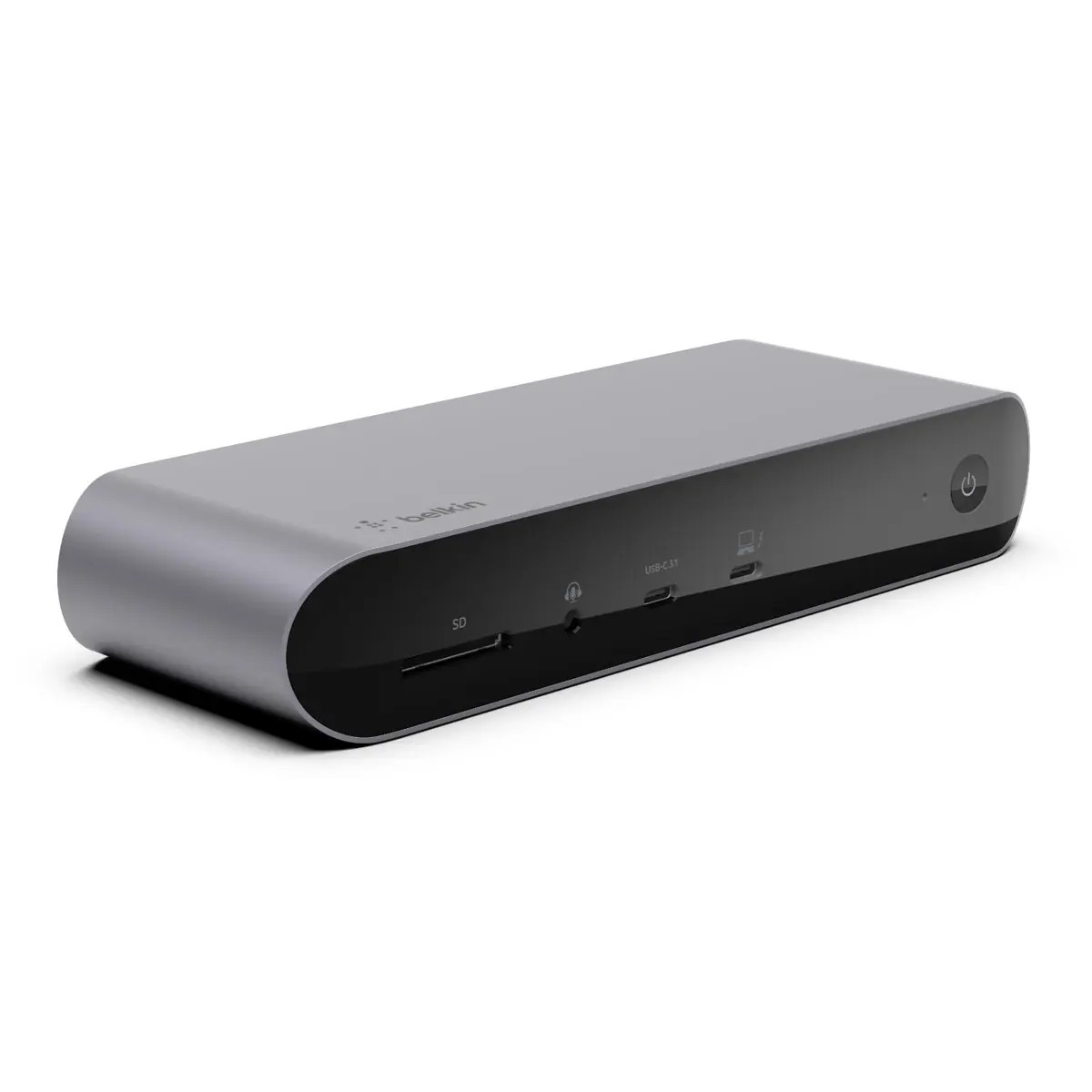
Belkin Connect Pro Thunderbolt 4 Dock (INC006) product photo
#8

Belkin Connect Pro Thunderbolt 4 Dock (INC006)

AmRank Score 81 $300

Best for: A tidy dual-monitor desk from a mainstream brand

90W host charging (120W power supply)Dual 4K60 or single 8K30; 'triple display' only on select Windows laptops; base M1/M2/M3 Macs = 1 extended display12 ports: 2x HDMI 2.0, SD card reader, 2x TB4, USB-C at 10Gbps; 0.8m TB4 cable includedGigabit Ethernet2-year warranty

Product review

Belkin's Connect Pro is the safe, mainstream choice: two HDMI ports, an SD reader, 90W charging and a big brand's support network. Its marketing leads with triple displays, but to Belkin's credit its own page is upfront that Macs get fewer — and that Windows gets three only on select laptops.

Color Options
SilverBlack

The company

Belkin is a long-established US accessories brand sold through every major electronics retailer.

Pros
  • Belkin prints the base-Mac one-screen limit on its own product page
  • Two HDMI ports cover most office monitors with no adapters
  • TAA-compliant, with a 2-year warranty and Belkin's stated 120+ quality tests per dock
Cons
  • 'Triple display support' is the headline; the footnote limits it to select laptops
  • Gigabit Ethernet and two USB 2.0 ports are 2022-era specs at a 2026 price
  • 90W charging trails the 98–100W leaders

Belkin Connect Pro Thunderbolt 4 Dock (INC006)

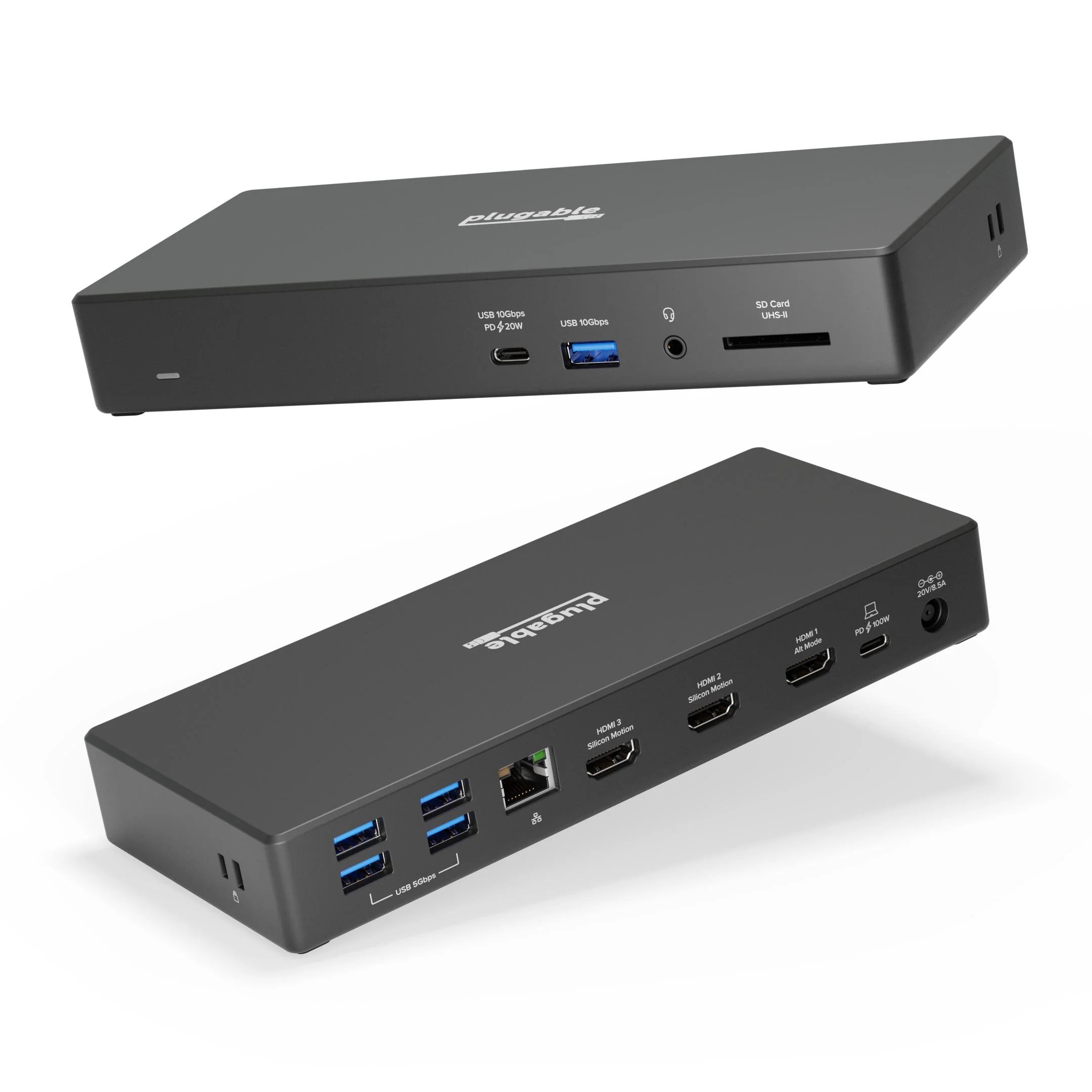
Plugable UD-768PDZ USB-C Triple Display Dock product photo
#9The Buck Blazer \u2014 lowest price in this category, American Ranking Institute award badge

Plugable UD-768PDZ USB-C Triple Display Dock

AmRank Score 80 $150

Best for: Three screens on a base-model MacBook — or any laptop — for $150

100W host charging3x HDMI at up to 1080p60 each — extends base M1/M2/M3 Macs past their 1-display limit (driver required)13 ports: 3x HDMI, SD UHS-II reader, USB-C 10Gbps with 20W charging, 5x USB; 1m USB-C cable includedGigabit Ethernet2-year warranty, lifetime support

Product review

The UD-768PDZ cheats — legally. Its Silicon Motion USB graphics chip sidesteps the Mac's one-display limit, so even a base M1 MacBook Air can run three external screens. The trade is resolution and purity: all three displays top out at 1080p, and a driver does the driving.

Color Options
Black

The company

Plugable is a US-based dock and hub specialist known for publishing full chipset and limitation disclosures for every product it sells.

Pros
  • The only dock here that gives a base-model MacBook three extended displays
  • Plugable publishes a brutally honest limitations list: driver required, no HDCP, not for gaming
  • 100W charging and a UHS-II SD reader at half the price of the Thunderbolt docks
Cons
  • Every display caps at 1080p60 — 4K monitors need not apply
  • USB graphics (Silicon Motion chip) means a driver install, and protected video won't play on its screens
  • Not suited to gaming, 3D or full-screen video work, by Plugable's own admission

Plugable UD-768PDZ USB-C Triple Display Dock

Razer Thunderbolt 4 Dock Chroma product photo
#10

Razer Thunderbolt 4 Dock Chroma

AmRank Score 78 $330

Best for: Gaming desks that want the dock to match the setup

90W host charging (135W adapter)Dual 4K60 or single 8K via the Thunderbolt ports only — no HDMI or DisplayPort on the dock; base M1 Macs = 1 display10 ports: four TB4 ports total, 3x USB-A at 10Gbps, UHS-II SD reader, audio combo jackGigabit EthernetWarranty term not stated on product pages checked — see dossier flag

Product review

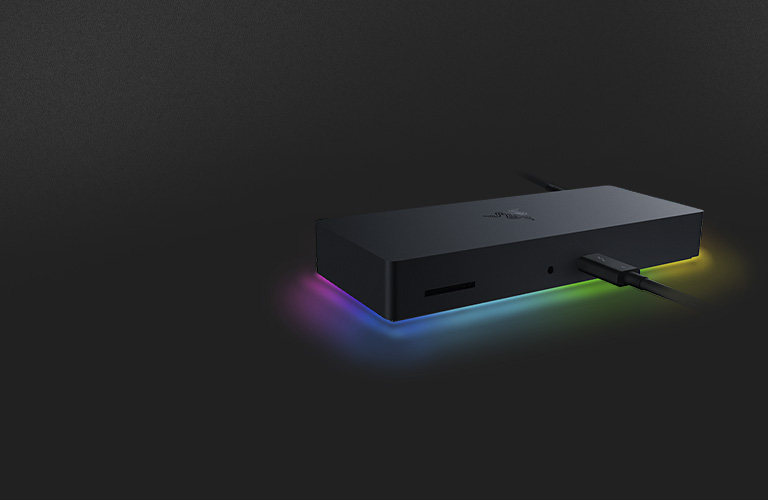
Razer's dock is a design object first: machined aluminum, a Chroma light strip, and clean Thunderbolt 4 guts. But it omits the two ports most desks actually need — HDMI and DisplayPort — and charges flagship money for gigabit Ethernet.

Color Options
BlackMercury White

The company

Razer is a gaming-hardware brand known for laptops and peripherals; the Thunderbolt 4 Dock Chroma is its desktop connectivity flagship.

Pros
  • Excellent machined-aluminum build with a UHS-II SD slot up front
  • Three downstream TB4 ports for drives and USB-C displays
  • The Chroma light strip syncs with other Razer gear through Synapse on Windows
Cons
  • No HDMI or DisplayPort ports at all — most monitors need a USB-C adapter or cable
  • Gigabit Ethernet and 90W charging at a $329.99 MSRP that rivals beat on specifications
  • Chroma is Windows-only (the Mercury finish skips the light strip entirely), and Best Buy no longer stocks the dock new

Razer Thunderbolt 4 Dock Chroma

The verdict

Buy the CalDigit TS4 if you want the most complete desk dock and can pay for it; buy the Plugable TBT4-UDZ if displays come first — four real video outputs and the most honest Mac labeling in the class. On a budget, Plugable's UD-768PDZ is the rare cheap dock that publishes its own limitations, and it is the only sub-$200 way to give a base-model MacBook three external screens.

Questions, answered

Will a docking station run my two monitors?

On a Windows Thunderbolt 4 laptop, almost certainly yes: dual 4K at 60Hz is the Thunderbolt 4 baseline, and several docks here drive three or four screens. On a Mac it depends entirely on the chip. Pro and Max chips, and base M4/M5 chips, run two external displays through a Thunderbolt dock; base M1 and M2 chips run exactly one, and a base M3 runs two only with the lid closed — no dock can change that, because it is a limit of the Mac, not the dock. The one exception is a driver-based dock (DisplayLink or Silicon Motion, like the Plugable UD-768PDZ), which bypasses the limit at the cost of a driver install, a 1080p cap on that model, and no HDCP protected video on its screens.

Thunderbolt 4 vs USB4 vs plain USB-C — what actually differs?

Thunderbolt 4 is a guarantee: every certified TB4 dock delivers 40Gbps, support for two 4K displays, and proper laptop charging. USB4 can match the 40Gbps speed, but its display and charging minimums are optional, so two USB4 docks with the same headline speed can behave very differently. Plain USB-C docks run at 10Gbps or less and lean on MST or driver-based graphics for extra screens — fine for one monitor, limiting for a serious desk. For a permanent dual-monitor setup, Thunderbolt 4 is the safe buy; that is why nine of our ten picks are TB4.

Do I need a dock, or will a cheap hub do?

For a single monitor, a keyboard and a mouse — especially on the road — a $40–$100 USB-C hub is genuinely enough. A dock earns its price at a fixed desk: it carries its own power supply, so your laptop charges at full rate while everything is plugged in; it adds Ethernet, card readers and downstream Thunderbolt ports a hub can't; and its firmware is built to survive daily sleep/wake cycles. If you plug in once a day, five days a week, buy the dock.

How much power delivery does my laptop actually need?

Match the charger your laptop shipped with. Most ultrabooks need 65–100W; mobile workstations can need 130W or more, and will slowly drain on a 100W dock under load (Lenovo's own review pages are full of exactly this complaint). Then read the footnote: Anker's 778 drops from 100W to 65W when both of its front USB-C charging ports are in use, and Dell's 130W headline applies to Dell laptops only — every other brand gets 96W.

Why do docks lose monitors or network connections after sleep?

Wake-from-sleep is this category's lived-experience failure mode, across brands: CalDigit acknowledged an Ethernet wake bug on the TS4 and shipped firmware fixes, and Lenovo owners report second monitors that only reappear after a replug. You cannot spec your way out of it — you buy your way out, by choosing a maker with a published, ongoing firmware-update record (CalDigit, Plugable, and the Dell/Lenovo enterprise channels all maintain one) and keeping the dock's firmware current.

Prices are typical US street prices observed during research and change often — check the retailer for the current price. AmRank may earn a commission from links on this page; commissions never change a score. See the affiliate disclosure and methodology.

Back to top